When you create an ambassador yourself, ConvertOut sends them an invite email so they can set a password and log in. You can edit that email any time on the Emails page.
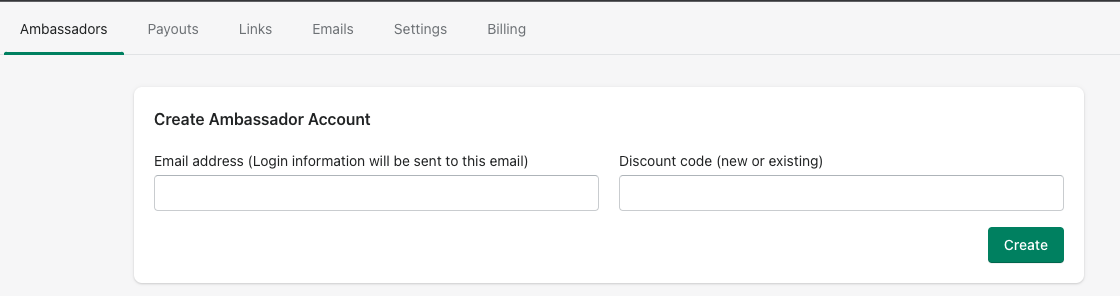
New ambassadors are created from the Ambassadors tab, in the Create Ambassador Account card.
Open the Emails tab and edit the create-account invite template there.
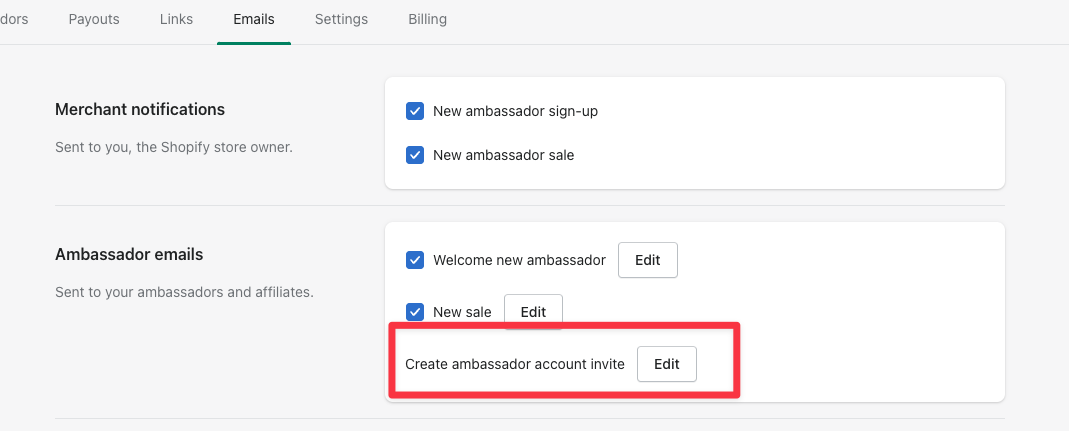
Add the password link
The invite is only useful if it contains the password-setup link, so add it as a real link:
- Highlight the text you want to turn into a link.
- Click the link icon in the editor toolbar.
- Set the URL to
{{ passwordLink }}. - Click Save.
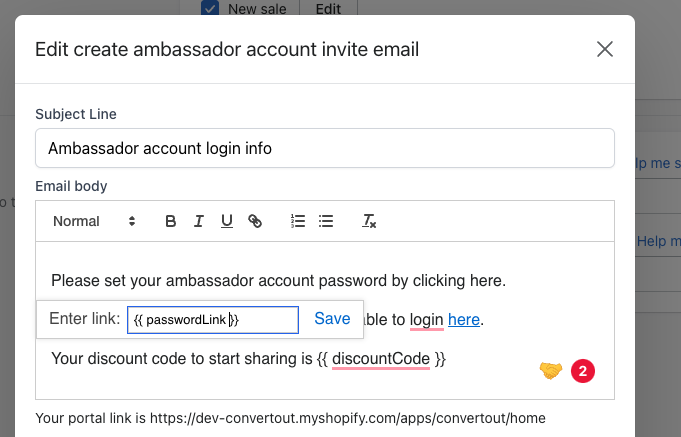
To confirm it saved, click the link text again and check that the URL still reads {{ passwordLink }}.
You can also drop {{ discountCode }} into the email to show the ambassador their discount code right away.