Sorry about the trouble! A 404 on the portal almost always comes down to one of two things.
First, check your store password. If your store is still password-protected, the portal can't load for visitors. Try removing the password and loading the portal again.
Then check the app proxy URL. Go to your Shopify admin → Apps and click the About text next to ConvertOut.
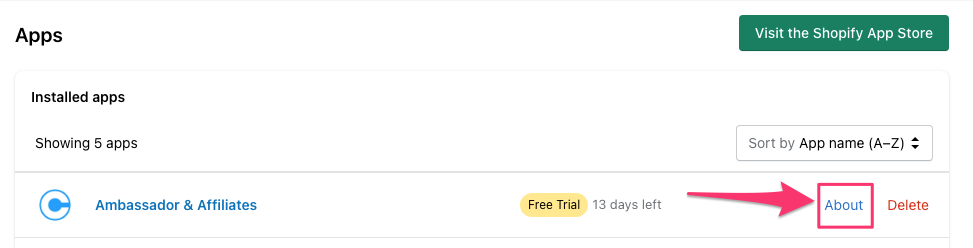
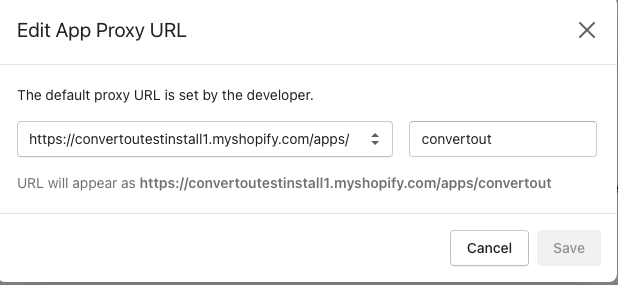
Make sure the proxy URL is set to /apps/convertout.
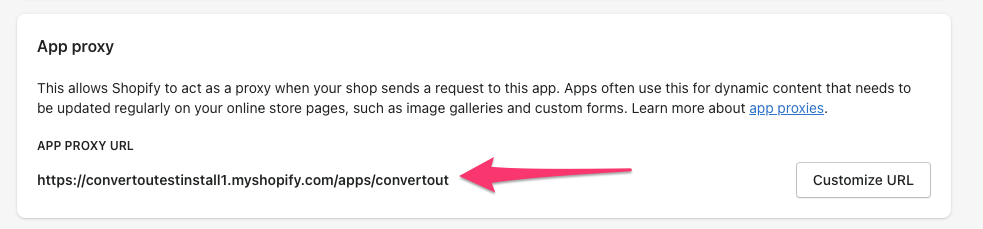
If it's something else, click Customize URL and change it.
Also double-check the exact link you're sharing — the portal lives at yourstore.com/apps/convertout/home.
Still seeing the 404? Get in touch and we'll check the proxy from our side before you try anything more drastic.