Adding your portal to your store menu is the easiest way to get signups. In your Shopify admin, go to Online Store → Navigation.
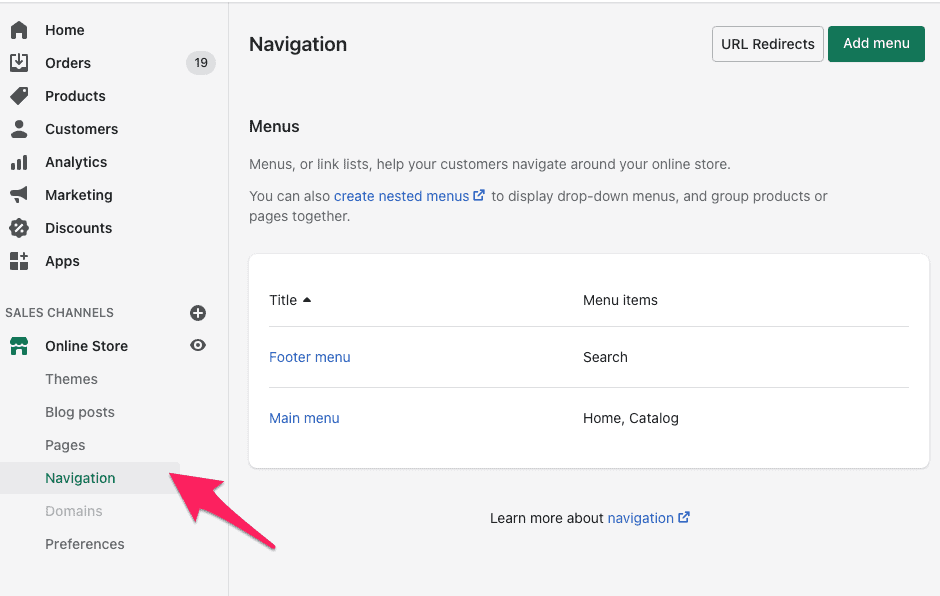
Pick the menu you want. The Main menu sits at the top of your store and gets far more views; the Footer menu sits at the bottom. Main menu is usually the better bet, but it depends on your theme and layout.
Then click Add menu item and give the link a name — something like "Become An Ambassador".
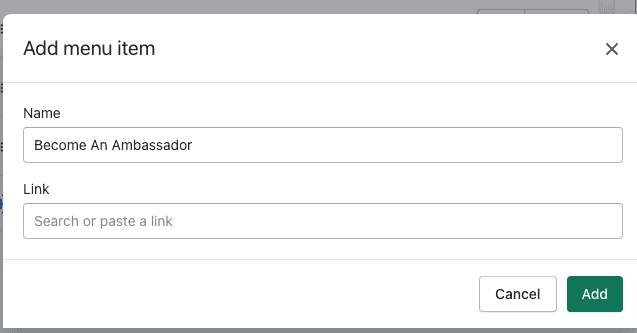
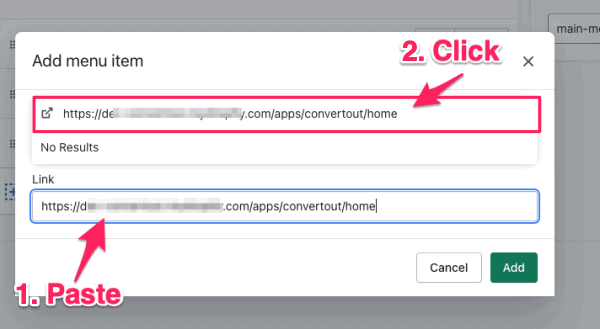
Paste your portal link (https://your-store.com/apps/convertout/home) into the Link field, then click the suggestion that appears — if you skip that click, Shopify won't save the link. Finish with Add, then Save.
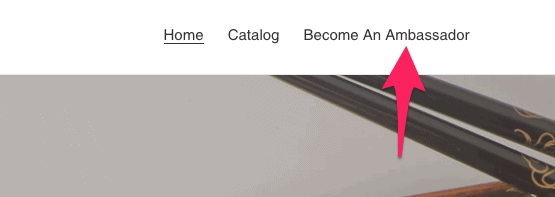
Your menu will end up looking like this:
If you see "Link must be of a certain type"
Delete the link, refresh your browser, and add it again — making sure you click the suggestion after pasting. That click is what trips almost everyone up.
Not sure which link to use? Here are all your portal links.