If you want an applicant's Instagram, TikTok or YouTube handle — or anything else — before you approve them, add a questionnaire.
Go to Settings and click Set up questionnaire, right next to the Require approval for ambassador applications checkbox. Add your questions and Save.
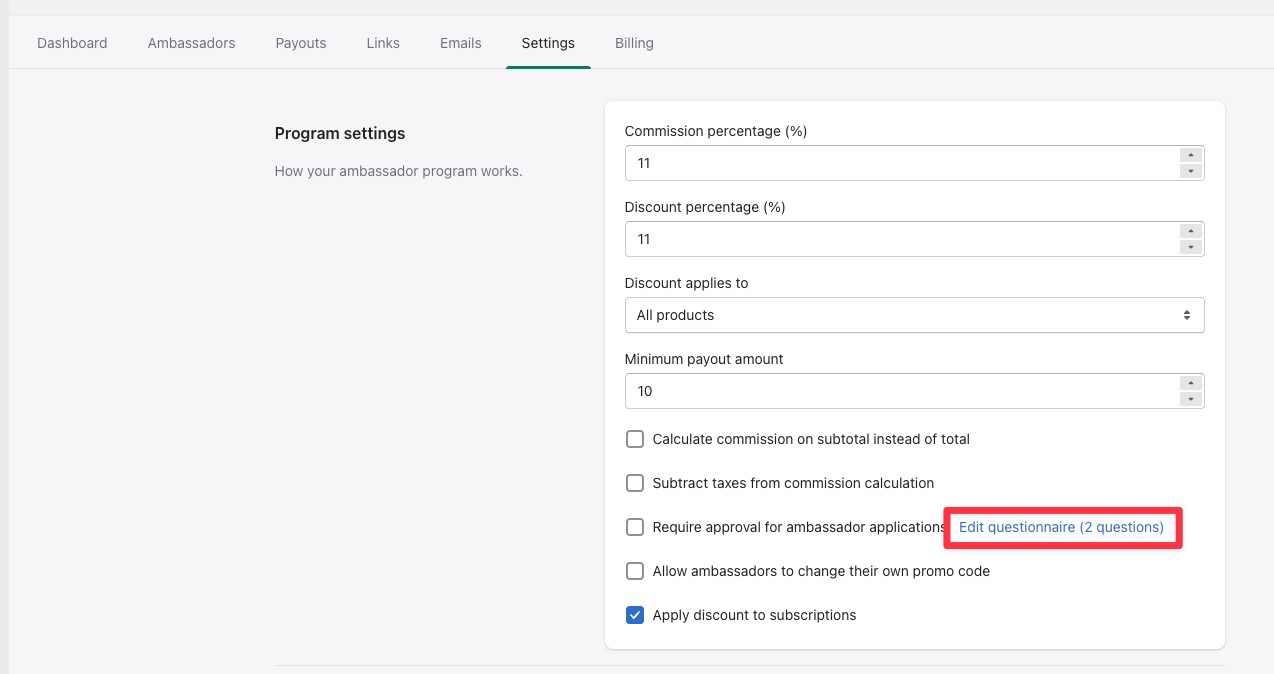
Require approval has to be on for the questionnaire to appear — the two work together.
A couple of things to expect:
- Questions are free text, so applicants type their answers into an open field.
- Applicants answer inside the portal after they create an account, not on the sign-up form itself.
- To read the answers, open the pending applications list on your Ambassadors page and click View answers. If someone hasn't filled it in yet, you'll see "Not answered yet" — answers aren't required before they can apply.