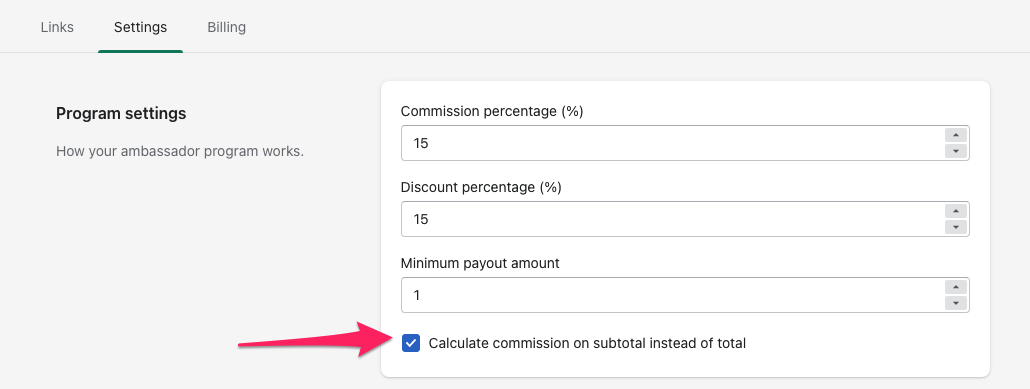
By default, commission is calculated from the order total. To base it on the subtotal instead:
- Open the app (Shopify admin → Apps → ConvertOut).
- Go to the Settings tab.
- Under Program settings, check Calculate commission on subtotal instead of total.
- Click Save.
This applies to orders tracked from that point on — it doesn't retroactively recalculate commissions you've already earned.
If you also want taxes out of the calculation, there's a separate setting: how to subtract taxes from commission calculation.