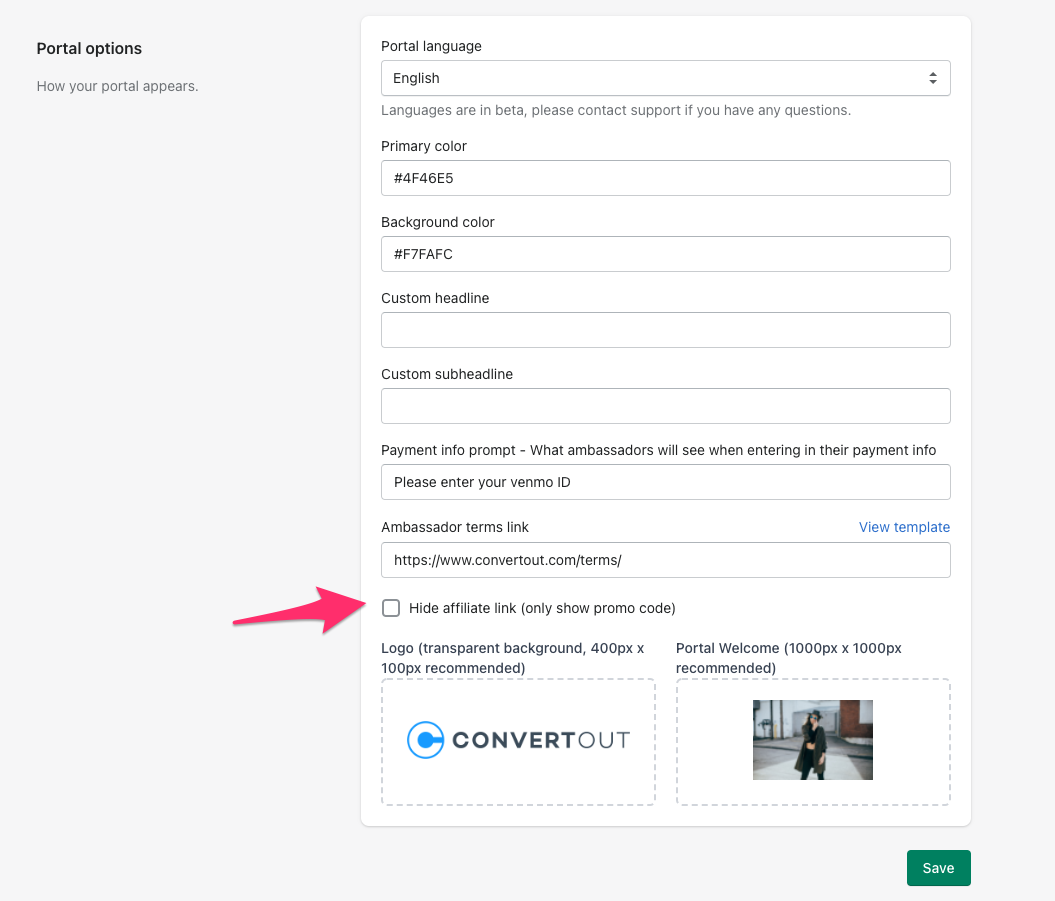
If you'd rather your ambassadors just share their promo code, you can hide the affiliate link from the portal.
Go to the Settings tab, scroll to Portal options, check Hide affiliate link (only show promo code), and click Save.
A note on the link format: we can't change it. Shopify uses the /discount/ path to recognize a code and apply it automatically at checkout, so the link has to be built that way.