Connecting Klaviyo syncs your ambassadors into a Klaviyo list automatically — your existing ones when you save the key, and every new signup after that — so you can email them all from one place.
1. Create a private API key
If you don't have a Klaviyo account yet, create one first. Then create a private API key following Klaviyo's instructions.
The key needs Full Access to the Lists and Profiles API scopes. Name it "ConvertOut" or anything you like, and copy it — it starts with pk_.
2. Paste the key into ConvertOut
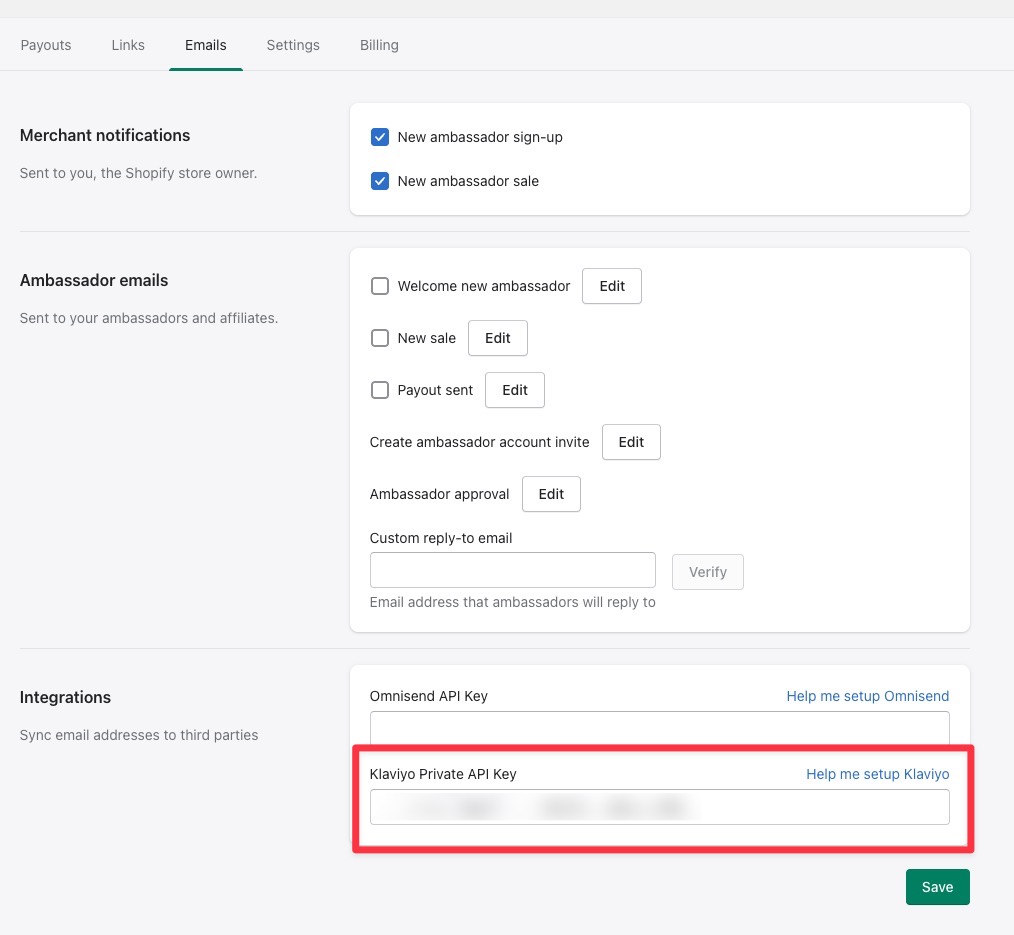
Open the Emails tab in ConvertOut, paste the key in, and click Save.
3. Check your list
In Klaviyo, go to Lists & Segments and look for a list called ConvertOut Ambassadors. If it's there, you're all set — new ambassadors are added to it automatically, and you can send campaigns to it like any other Klaviyo list.
If you don't have any ambassadors signed up yet, the list won't exist yet. That's expected.
Still not working?
Remove the Klaviyo private key from your settings, click Save, then paste it back in and save again. That refreshes the connection and clears up most sync issues.