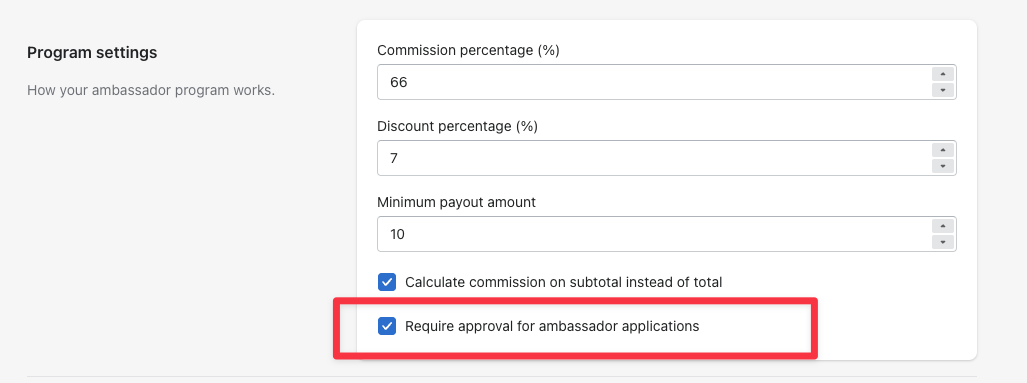
Open the app in your Shopify admin, go to the Settings tab, and under Program settings check Require approval for ambassador applications. Scroll down and click Save.
From then on, new signups appear under Pending applications on your Ambassadors page, where each row has Approve and Reject. If you've set up a questionnaire, View answers opens their responses so you can vet them before deciding.
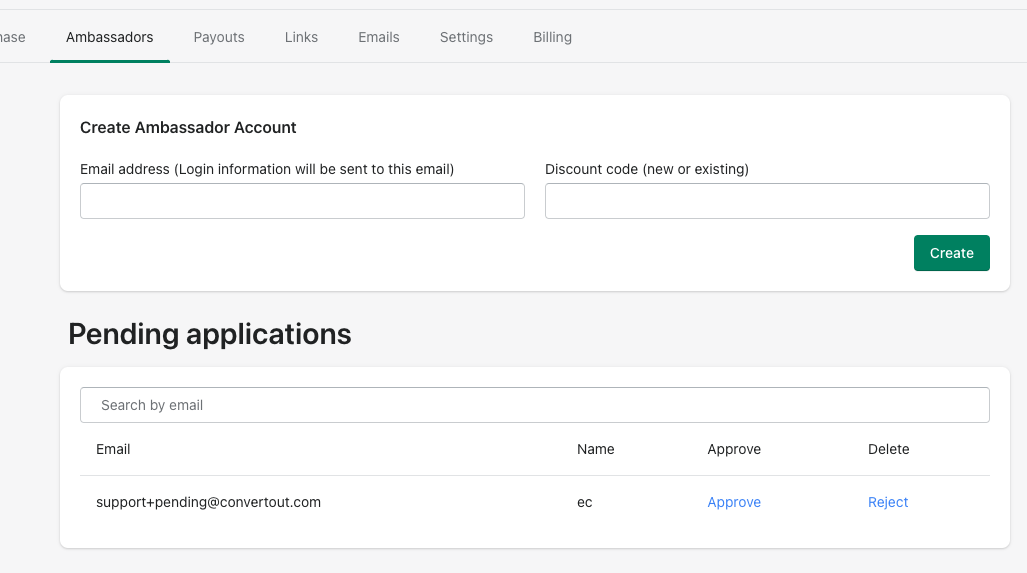
Pending ambassadors can't create a discount code until you approve them.
⚠️ Reject permanently deletes the applicant's account and data. It can't be undone and no rejection email is sent — if you might want that person later, leave them pending instead.
With approval on, applicants don't hear anything from the app until you decide. The Ambassador approval email is what they receive when you click Approve, so it's worth customizing that one as your welcome — see how to edit your email notifications.
Want to ask applicants questions first? See how to add a questionnaire to ambassador approvals.